


App comparisons
Best Weight Loss Apps for iPhone in 2026: Trackers vs Programs
The best weight loss apps for iPhone in 2026: weight trackers, calorie counters and coaching programs compared on price, features and what they do.
· 9 min read
Weigh-ins · Trend line · Progress photos
Log your weight in seconds, add progress photos and see your real trend, weekly rate and BMI. Weigh-ins and photos stay on your iPhone.

Trend line
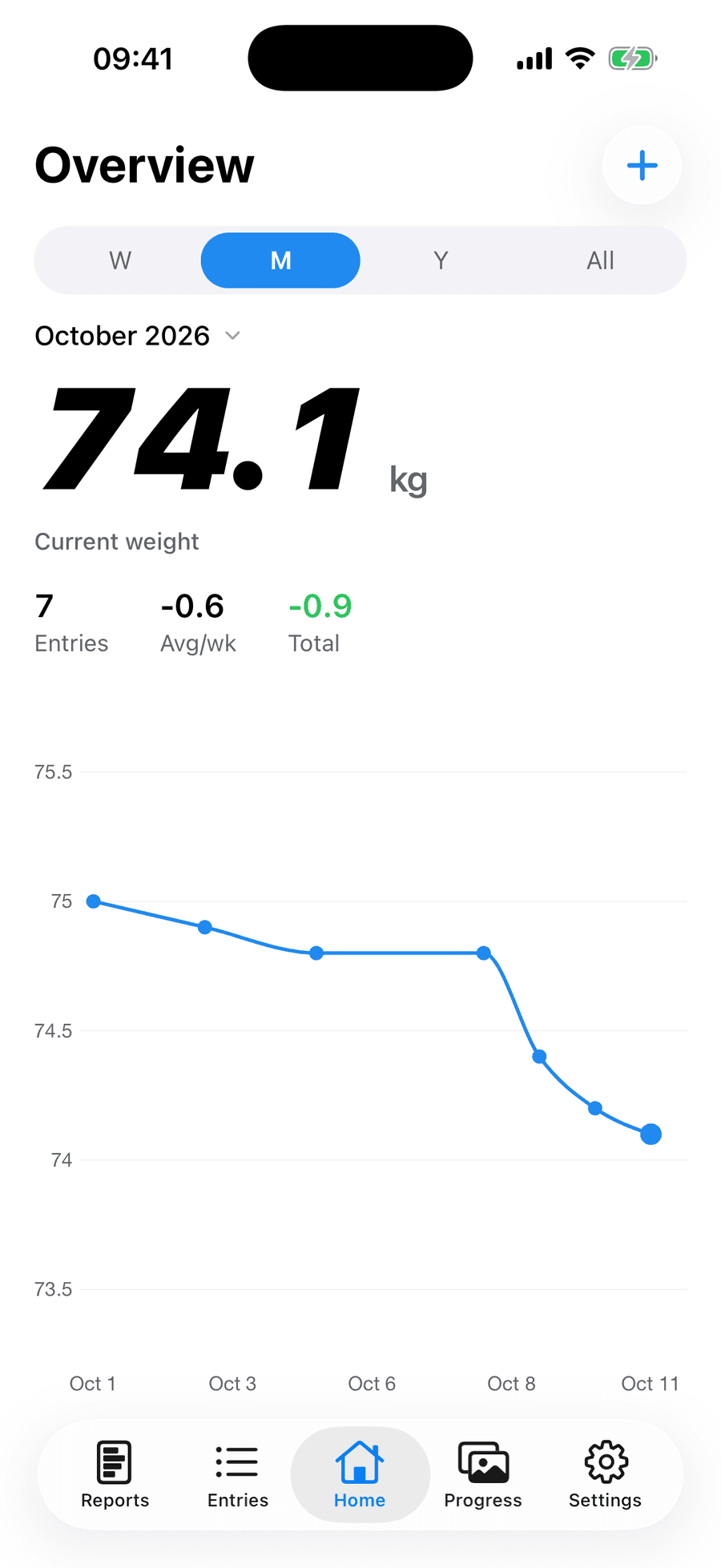
Water and salt can move the scale a kilo overnight. The trend line smooths that out, so you can see which way you're really heading.
Six weeks of sample weigh-ins: noisy dots, steady trend.
Inside the app
01 / 05
Tap +, enter your weight, done. Add a note or up to two photos if you like.
01
Tap +, enter your weight, done. Add a note or up to two photos if you like.
02
Each week, month and year gets a card with your trend, weekly rate, goal line and BMI. Share any card as an image.
03
Pick any two dates and drag the slider, or press Play. A body outline helps you line photos up.
04
See your trend, monthly average or goal progress without opening the app.
05
Smart-scale weigh-ins come in from Apple Health when you open the app. Add a weigh-in reminder and a Face ID lock.
Progress photos
It works just like the slider in the app. Your own photos stay on your iPhone.
How to take progress photos that show change →

Sample photos from Periscope's demo entries.
Also in the app
A goal line in your reports and a goal widget.
BMI from your trend weight in every report.
Trend, monthly, stats and goal widgets, Lock Screen too.
Smart-scale weigh-ins import when you open the app.
Daily, every three days or weekly.
Keep your weigh-ins and photos behind Face ID.
kg or lbs, cm or ft/in, plus notes.
English, Spanish, French, German, Italian, Portuguese, Japanese and Chinese.
Privacy
Weigh-ins, photos and Apple Health data are stored on your phone, not uploaded.
Your account holds only sign-in details. Delete it any time and your data goes with it.
Basic usage analytics never include your weight, photos or measurements.
It's a weight tracker. A trend line, reports with BMI and progress photos show whether your weight is really going down. Use it on its own or with any diet.
Yes. No ads, no subscription, no in-app purchases.
Yes. Add your height and every report shows your BMI, calculated from your trend weight.
Yes, if it saves to Apple Health. Periscope reads your weight when you open the app and never writes to Health.
Weigh-ins, notes and photos stay on your iPhone. Our server only holds your Sign in with Apple account.
It's a lag-corrected moving average (double exponential smoothing), calculated daily with missing days filled in.
iOS 15.1 or later. Widgets need iOS 17.
English, Spanish, French, German, Italian, Brazilian Portuguese, Japanese and Simplified Chinese.
Short, sourced guides and two free calculators.
App comparisons
The best weight loss apps for iPhone in 2026: weight trackers, calorie counters and coaching programs compared on price, features and what they do.
· 9 min read
App comparisons
Apple Health vs a weight tracker app on iPhone: what Health's weight charts do, what they don't, and when a dedicated tracker is worth adding.
· 6 min read
App comparisons
The best BMI tracker apps for iPhone, from one-off calculators to apps that chart BMI over time, compared on price and features as of October 2026.
· 7 min read
Free on iPhone.
Requires iOS 15.1 or later. Widgets need iOS 17.